1. Goldpinger란?
https://github.com/bloomberg/goldpinger
골드핑거 : 쿠버네티스 클러스터 시각화
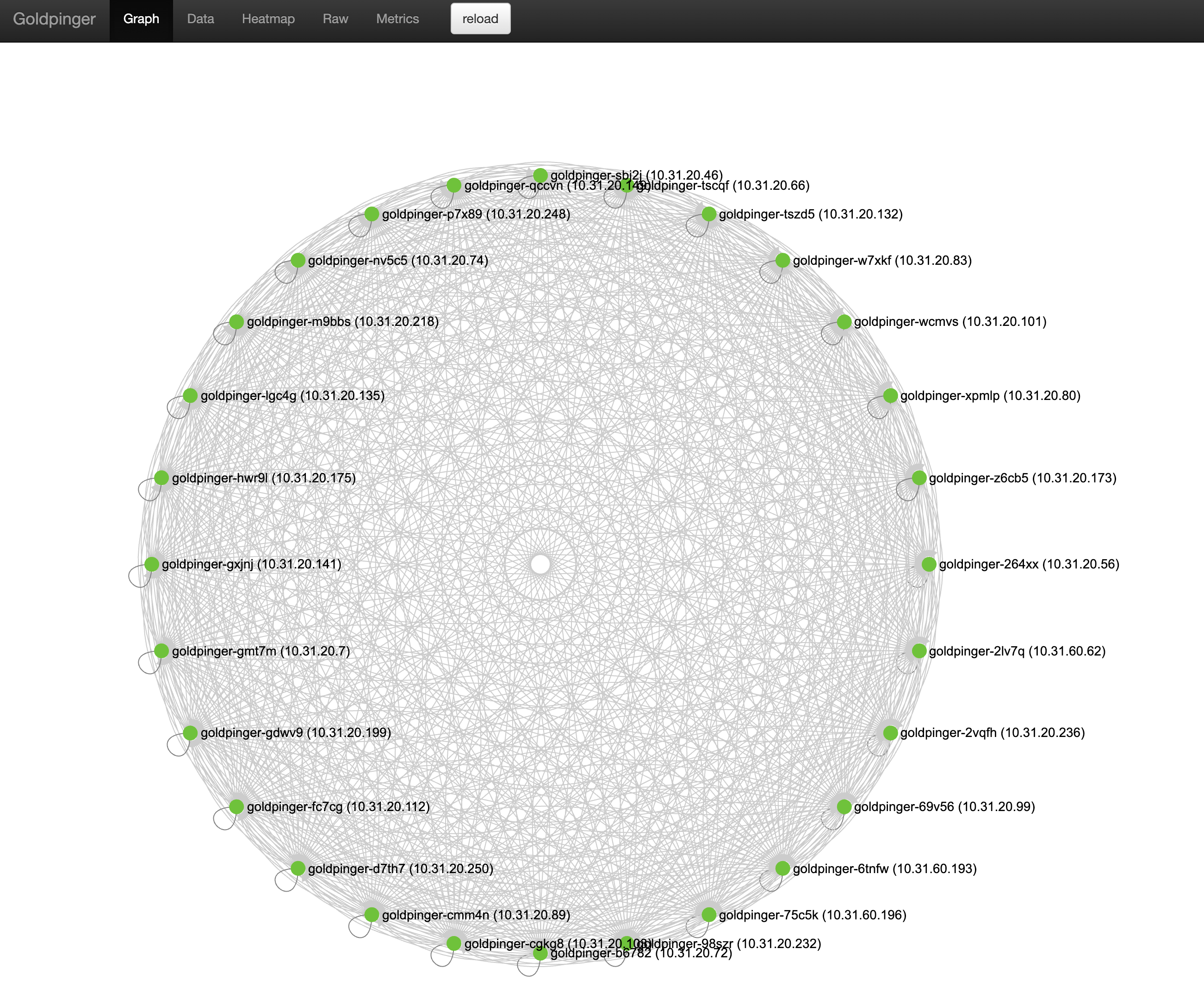
인간은 시각적 동물이다. 그래프와 차트를 보면 큰 그림을 쉽게 이해할 수 있다. 쿠버네티스 클러스터의 범위와 복잡성을 감안하면 가능한 모든 시각적 도움을 얻는 것이 좋다. 블룸버그 기술 사업부가 오픈소스로 공개한 골드핑거(Goldpinger)는 쿠버네티스 클러스터 내에서 실행되면서 노드 간 관계를 인터랙티브한 지도로 표시하는 간단한 툴이다. 정상적인 노드는 녹색, 비정상적인 노드는 빨간색으로 표시된다. 노드를 클릭하면 세부 내용을 볼 수 있다. 스웨거(Swagger)로 API를 맞춤 설정해서 부가적인 보고, 지표를 비롯한 다양한 요소를 통합할 수 있다.
원문보기: https://www.itworld.co.kr/news/229459#csidx52b740d211bc4b2b40af01e5c238e80
2. 설치
2개의 YAML만 배포하면 끝난다.
---
apiVersion: v1
kind: ServiceAccount
metadata:
  name: goldpinger-serviceaccount
---
apiVersion: apps/v1
kind: DaemonSet
metadata:
  name: goldpinger
  namespace: default
  labels:
    app: goldpinger
spec:
  updateStrategy:
    type: RollingUpdate
  selector:
    matchLabels:
      app: goldpinger
  template:
    metadata:
      annotations:
        prometheus.io/scrape: 'true'
        prometheus.io/port: '8080'
      labels:
        app: goldpinger
    spec:
      serviceAccount: goldpinger-serviceaccount
      tolerations:
        - key: node-role.kubernetes.io/master
          effect: NoSchedule
      securityContext:
        runAsNonRoot: true
        runAsUser: 1000
        fsGroup: 2000
      containers:
        - name: goldpinger
          env:
            - name: HOST
              value: "0.0.0.0"
            - name: PORT
              value: "8080"
            # injecting real hostname will make for easier to understand graphs/metrics
            - name: HOSTNAME
              valueFrom:
                fieldRef:
                  fieldPath: spec.nodeName
            # podIP is used to select a randomized subset of nodes to ping.
            - name: POD_IP
              valueFrom:
                fieldRef:
                  fieldPath: status.podIP
          image: "docker.io/bloomberg/goldpinger:v3.0.0"
          imagePullPolicy: Always
          securityContext:
            allowPrivilegeEscalation: false
            readOnlyRootFilesystem: true
          resources:
            limits:
              memory: 80Mi
            requests:
              cpu: 1m
              memory: 40Mi
          ports:
            - containerPort: 8080
              name: http
          readinessProbe:
            httpGet:
              path: /healthz
              port: 8080
            initialDelaySeconds: 20
            periodSeconds: 5
          livenessProbe:
            httpGet:
              path: /healthz
              port: 8080
            initialDelaySeconds: 20
            periodSeconds: 5
---
apiVersion: v1
kind: Service
metadata:
  name: goldpinger
  namespace: default
  labels:
    app: goldpinger
spec:
  type: NodePort
  ports:
    - port: 8080
      nodePort: 30080
      name: http
  selector:
    app: goldpinger
---
apiVersion: rbac.authorization.k8s.io/v1
kind: ClusterRoleBinding
metadata:
  name: default
roleRef:
  apiGroup: rbac.authorization.k8s.io
  kind: ClusterRole
  name: view
subjects:
  - kind: ServiceAccount
    name: goldpinger-serviceaccount
    namespace: default
3. 접속
위 yaml 는 각 노드에 데몬셋을 실행한다. 그리고 NodePort로 30080 포트를 만든다. 따라서 아무 노드 IP에나 :30080 을 붙여서 접속하면 바로 화면이 뜬다.
테스트는 27개 노드로 진행했다.
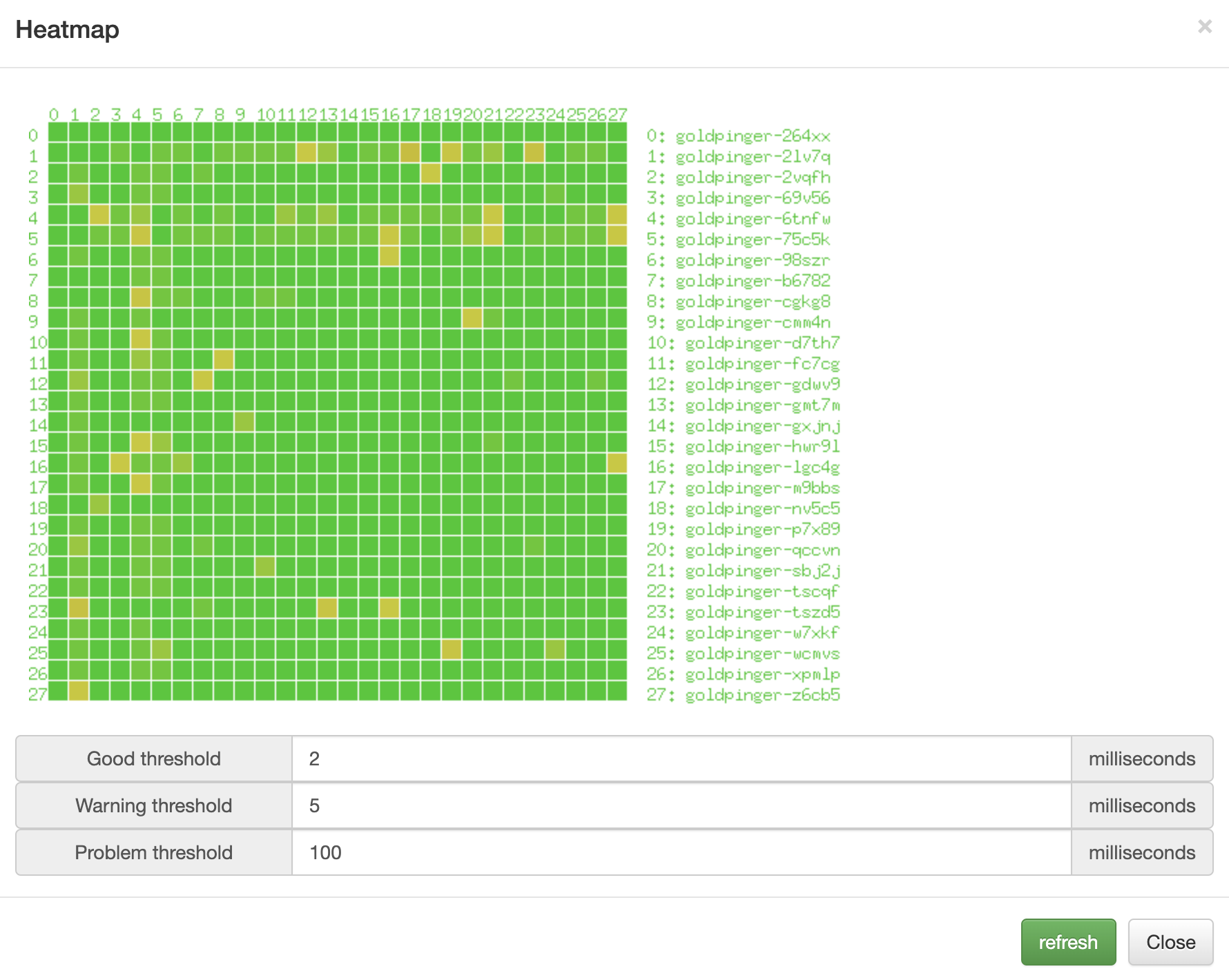
아래 그림은 Heapmap 메뉴에 들어갔을 떄 보이는 내용이다.