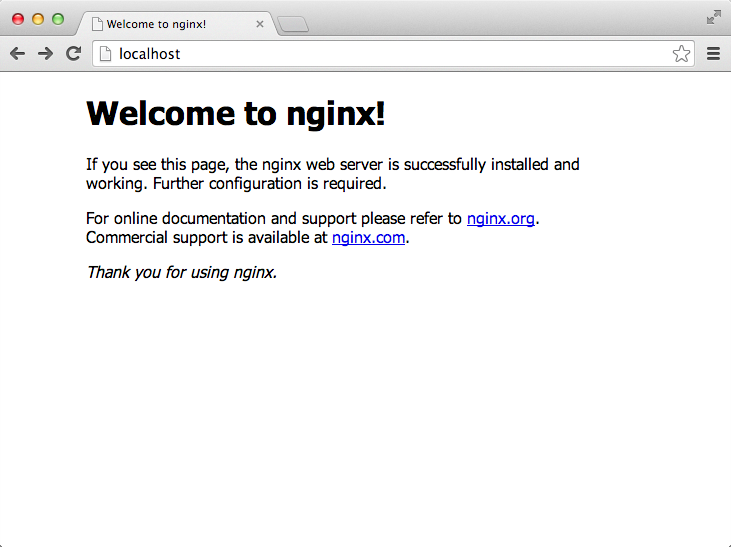
OS X에서 NginX 1.4.4를 빌드 설치합니다.
금일 (2월 12일) 기준으로 가장 최신 stable 버전은 1.4.5이지만 1.4.4를 선택하였습니다. 이유는 며칠 전에 받아놔서, 이고요. http://nginx.org/ 에서 설치 파일 확인이 가능합니다.
우선 빌드 옵션 없이 --prefix만 주고 configure를 하였습니다.
./configure: error: the HTTP rewrite module requires the PCRE library.
You can either disable the module by using --without-http_rewrite_module
option, or install the PCRE library into the system, or build the PCRE library
statically from the source with nginx by using --with-pcre= option.
PCRE가 prerequisite인 것 같습니다.
그래서 PCRE 8.34를 설치합니다. PCRE 8.34 설치는 PCRE (Perl Compatible Regular Expressions) 8.34 Installation 에서 따로 설명합니다.
/svc1/pcre/8.34에 PCRE를 빌드한 후 --with-pcre 에 해당 경로를 추가하여 다시 한번 Nginx를 빌드합니다. 그리고 configure는 잘 넘어갔는데, make에서 바로 오류가 발생합니다.
$ make
/Applications/Xcode.app/Contents/Developer/usr/bin/make -f objs/Makefile
cd /svc1/pcre/8.34 \
        && if [ -f Makefile ]; then /Applications/Xcode.app/Contents/Developer/usr/bin/make distclean; fi \
        && CC="cc" CFLAGS="" \
        ./configure --disable-shared
/bin/sh: ./configure: No such file or directory
make[1]: *** [/svc1/pcre/8.34/Makefile] Error 127
make: *** [build] Error 2
objs/Makefile를 확인하여 보았더니 무언가 이상한 점이 있습니다. 결론적으로, --with-pcre에 빌드한 경로를 적는 것이 아니라 그냥 소스 경로를 적어야 합니다. 그렇게 다시 NginX 빌드를 시도했고, make install까지 정상 완료되었습니다.
디렉토리 구조는 다음과 같습니다.
$ ls -l
total 0
drwxr-xr-x  17 nginx  staff  578  2 12 22:45 conf
drwxr-xr-x   4 nginx  staff  136  2 12 22:45 html
drwxr-xr-x   2 nginx  staff   68  2 12 22:45 logs
drwxr-xr-x   3 nginx  staff  102  2 12 22:45 sbin
그럼 굳이 이제 와서 일부 빌드 옵션을 확인해 봅니다.
- --sbin-path=path
NginX 실행파일 이름을 지정합니다. default는 ${NGINX_HOME}/sbin/nginx 입니다.
- --conf-path=path
설정파일 이름을 지정합니다. default는 ${NGINX_HOME}/conf/nginx.conf 입니다.
- --pid-path=path
NginX 실행 프로세스 PID 파일 이름을 지정합니다. default는 ${NGINX_HOME}/logs/nginx.pid 입니다.
- --error-log-path=path
error 로그 파일 이름을 지정합니다. default는 ${NGINX_HOME}/logs/error.log 입니다.
- --http-log-path=path
access 로그 파일 이름을 지정합니다. default는 ${NGINX_HOME}/logs/access.log 입니다.
진짜 이렇게 되는지 아래 두 옵션을 주고 다시 한번 빌드합니다.
- --sbin-path=${NGINX_HOME}/nginx_sbin/nginx
- --conf-path=${NGINX_HOME}/nginx_conf/nginx.config
명시적으로 부여한 이름으로 생성된 디렉토리를 확인합니다.
$ ls -l
total 0
drwxr-xr-x   4 nginx  staff  136  2 13 00:02 html
drwxr-xr-x   2 nginx  staff   68  2 13 00:02 logs
drwxr-xr-x  17 nginx  staff  578  2 13 00:02 nginx_conf
drwxr-xr-x   3 nginx  staff  102  2 13 00:02 nginx_sbin
그리고 nginx_conf 디렉토리 안에 nginx.conf가 아닌 nginx.config 파일이 생성된 것이 맞는지 확인합니다.
$ ls -l nginx_conf
total 120
-rw-r--r--  1 nginx  staff  1034  2 13 00:02 fastcgi.conf
-rw-r--r--  1 nginx  staff  1034  2 13 00:02 fastcgi.conf.default
-rw-r--r--  1 nginx  staff   964  2 13 00:02 fastcgi_params
-rw-r--r--  1 nginx  staff   964  2 13 00:02 fastcgi_params.default
-rw-r--r--  1 nginx  staff  2837  2 13 00:02 koi-utf
-rw-r--r--  1 nginx  staff  2223  2 13 00:02 koi-win
-rw-r--r--  1 nginx  staff  3463  2 13 00:02 mime.types
-rw-r--r--  1 nginx  staff  3463  2 13 00:02 mime.types.default
-rw-r--r--  1 nginx  staff  2685  2 13 00:02 nginx.conf.default
-rw-r--r--  1 nginx  staff  2685  2 13 00:02 nginx.config
-rw-r--r--  1 nginx  staff   596  2 13 00:02 scgi_params
-rw-r--r--  1 nginx  staff   596  2 13 00:02 scgi_params.default
-rw-r--r--  1 nginx  staff   623  2 13 00:02 uwsgi_params
-rw-r--r--  1 nginx  staff   623  2 13 00:02 uwsgi_params.default
-rw-r--r--  1 nginx  staff  3610  2 13 00:02 win-utf
어쨌든, 이제 빌드된 Nginx를 실행합니다.
$ ./nginx
nginx: [emerg] bind() to 0.0.0.0:80 failed (13: Permission denied)
root가 아닌 계정으로 실행하였기 때문에 80 포트 오류가 발생합니다. 그래서 root로 switch user 한 후 다시 실행합니다.